Configuring overrides

When you run a check against a subgraph, we detect breaking changes that affect operations. On the check page, you can configure overrides for each operation to ignore specific breaking changes in future checks.
Applying overrides will not change the outcome of the check run. Only future checks will take them into account.
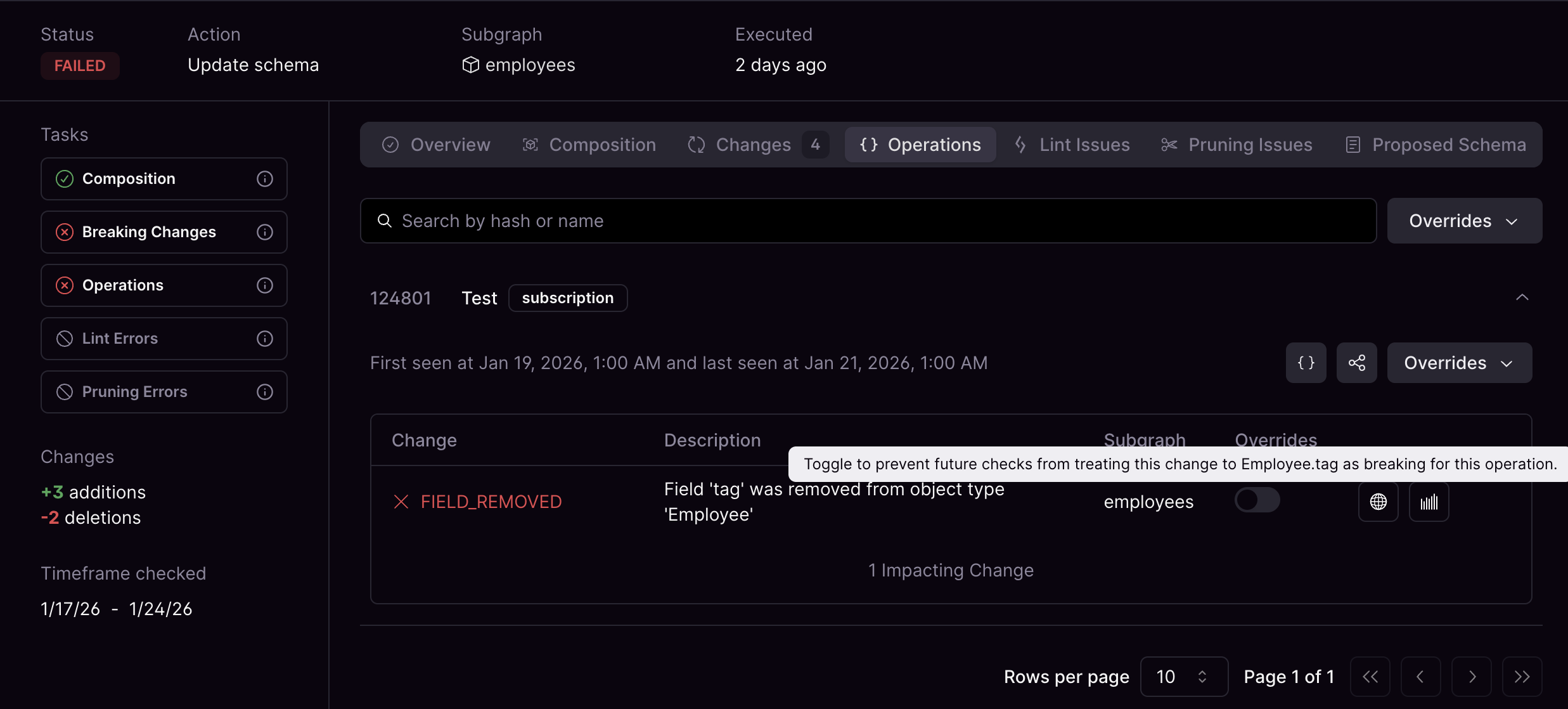
Failed schema update with operations and changes showing per-change overrides toggles
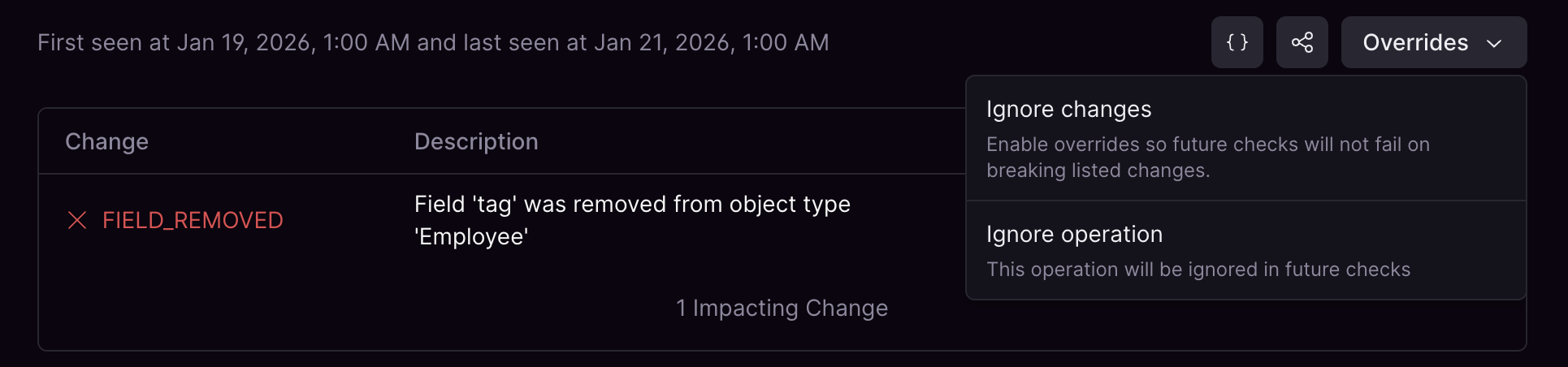
You can toggle overrides for all changes from the Overrides menu. Select Ignore all changes to apply overrides so future checks do not treat the listed breaking changes as breaking for the operation. Select Ignore operation to exclude the entire operation from future checks.
Overrides menu showing Ignore all changes and ignore operation actions for an operation

Viewing all overrides

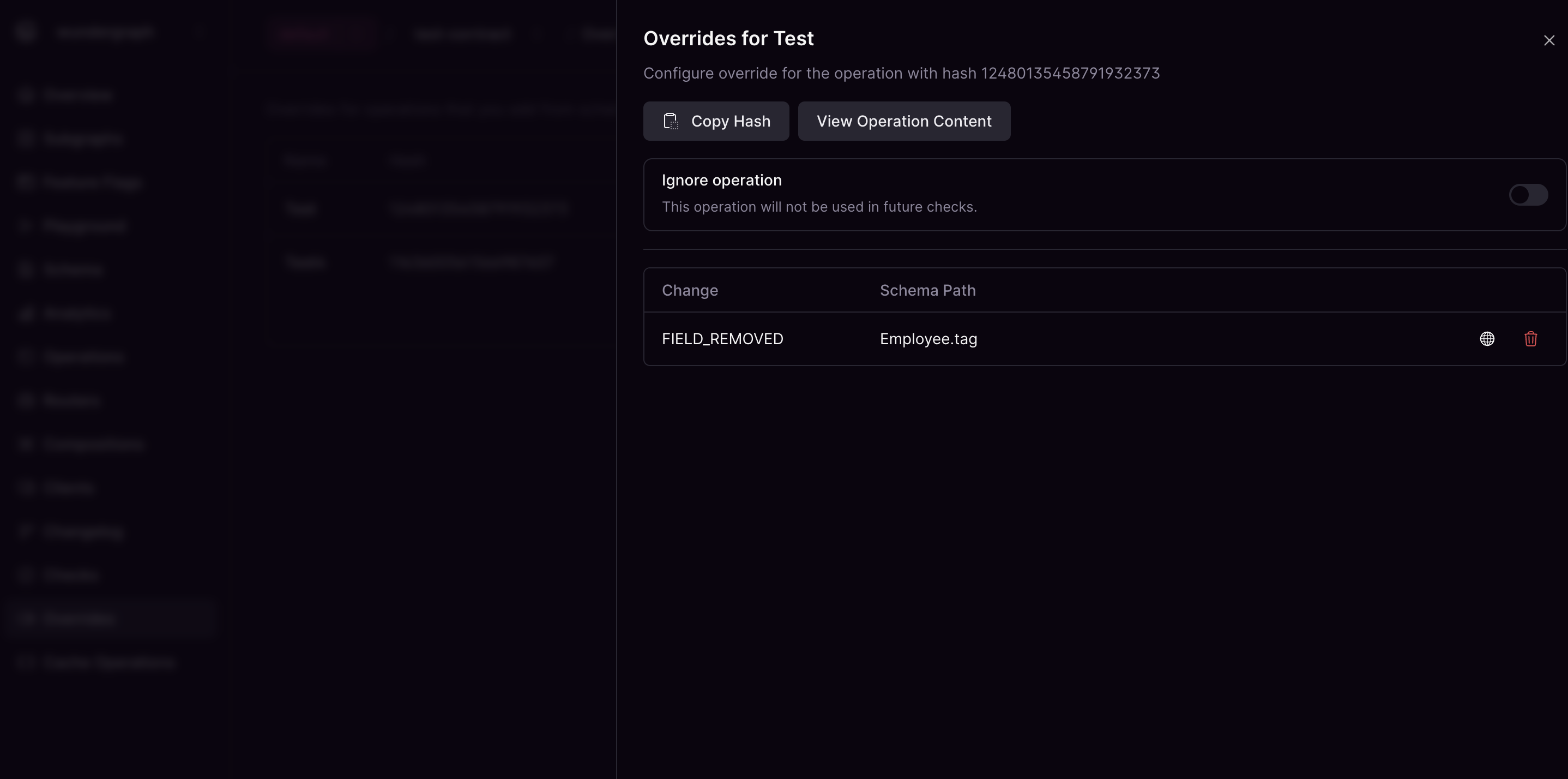
You can view all overrides in a single place. From here you can open the configuration to fine tune existing overrides or go to metrics/traces to check current usage.
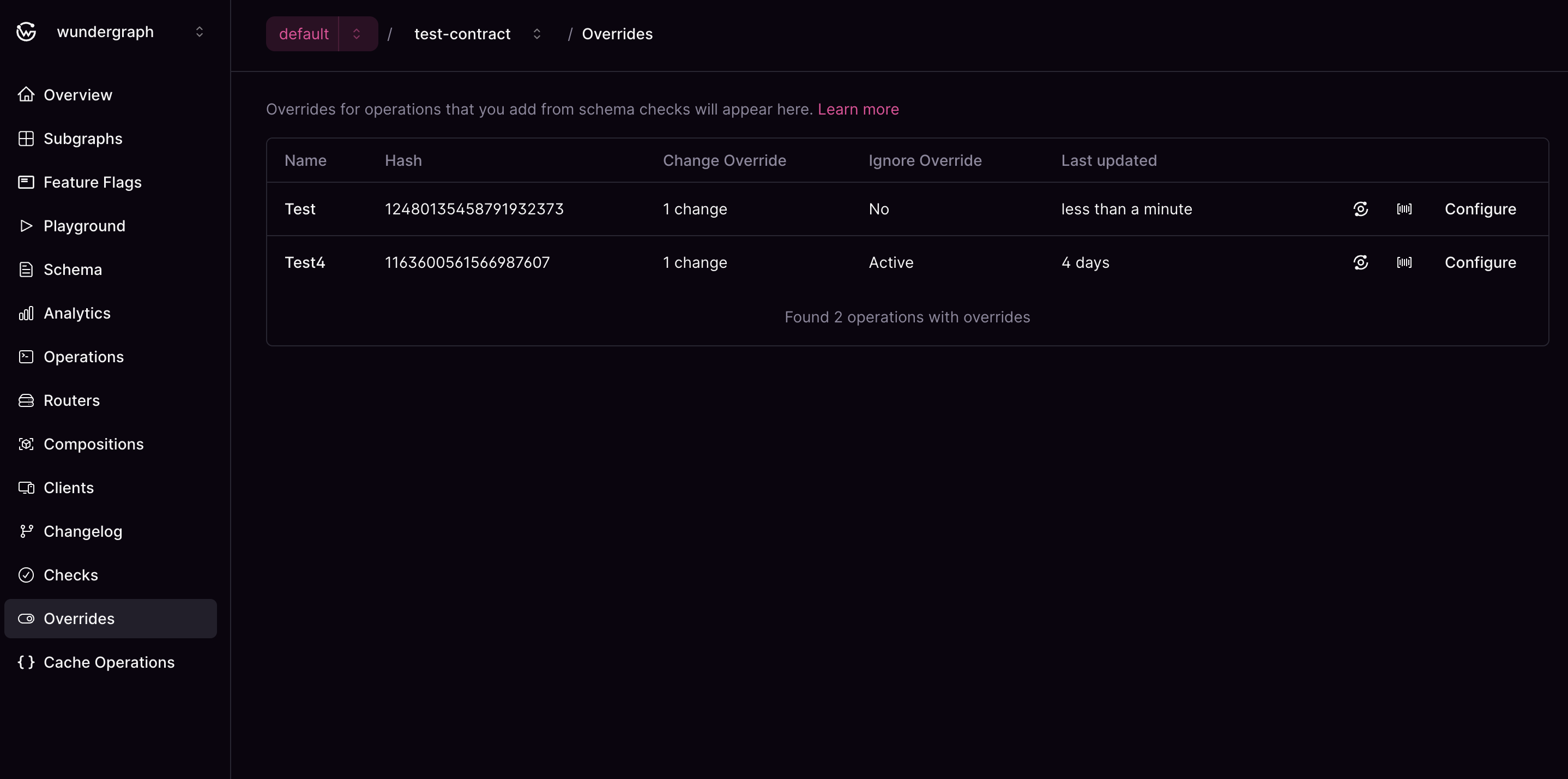
Operations with overrides showing change overrides and ignore operation status

Overrides configuration with ignore operation toggle and change overrides list